How to Get IPTV : The Ultimate Guide by HaryIPTV
If you are cutting the cord and looking for a better entertainment alternative, you might be wondering exactly how to get iptv. Internet Protocol Television has revolutionized how we consume media, offering thousands of channels, live sports, and on-demand content directly through your internet connection. In this guide, we will walk you through the entire process, from understanding the basics to setting up your device for the best streaming experience.
How can I get IPTV?
The setup process is much simpler than most people think. If you are asking yourself, “how can i get iptv?”, you only need three fundamental things:
-
High-Speed Internet: A stable connection (at least 20 Mbps) to ensure smooth, buffer-free streaming.
-
Streaming Device: A compatible device such as a Smart TV, Android Box, Apple TV, or Amazon Firestick.
-
Reliable Subscription: A premium service provider that gives you the necessary login credentials or M3U link.
Once you have these ready, you simply download a media player app and log in to start watching.
Why Choose Hary IPTV?
When searching for a service provider, quality, stability, and support are crucial. Hary IPTV stands out as a top-tier choice for global streaming enthusiasts. At haryiptv, we provide an extensive library of live television channels, movies, and series in 4K, FHD, and HD quality. Our servers are equipped with advanced anti-freeze technology to guarantee uptime, and our intuitive Electronic Program Guide (EPG) makes navigation effortless.
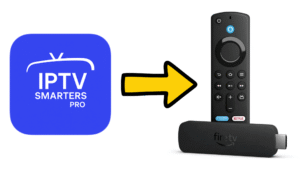
How to install IPTV Smarters Pro on Firestick
One of the most popular combinations for a seamlessviewing experience is using an Amazon Fire TV device with the Smarters application. Here is a quick, step-by-step guide on how to install iptv smarters pro on firestick:
-
Install Downloader: Go to your Firestick Home screen, click on ‘Find’, then ‘Search’. Type “Downloader” and install the official app.
-
Enable Developer Options: Navigate to Settings > My Fire TV > Developer Options.
-
Allow Unknown Apps: Turn on “Install Unknown Apps” specifically for the Downloader application you just installed.
-
Download the App: Open Downloader, enter the direct download URL for the Smarters Pro APK, and click ‘Go’.
-
Install and Login: Follow the on-screen prompts to install the application. Once finished, open it, select your login method (usually Xtream Codes API), and enter the credentials provided by your subscription.
Conclusion
Upgrading your home entertainment system doesn’t have to be a technical headache. Now that you know exactly how to get iptv, you are just a few simple steps away from unlocking unlimited digital content. Grab your preferred streaming device, choose a reliable plan, and start enjoying your favorite shows and live sports today!